

Auto Connect for Video Calls is now available on the Idem Smart Clock
For many families, video calls have become one of the most meaningful ways to stay close to a loved one. Seeing their face, hearing their voice, and being together, even from a distance, can make an ordinary day feel a little warmer.
When we initially designed video calling for the Idem Smart Clock, we made a deliberate choice: your loved one would tap the screen to answer. We believe that, even when technology is designed to support daily life, the person using the clock should always have the opportunity to choose whether they want to participate in a call.
These video calls work great for many. But over time, some caregivers have shared with us that, as cognitive challenges progress, or as physical changes make it harder to interact with a touchscreen, video calls are becoming less accessible.
By adding Auto Connect, our latest Premium feature, we wanted to find a way to support connection at every stage of the journey, while still protecting your loved one's dignity and autonomy.
When answering isn't always straightforward
Some people who use the Idem Smart Clock rely on it mainly to help orient themselves in the day by checking the time, the date, or what's coming up next. They may not naturally think to tap a touchscreen when a call appears. For others, a physical disability or change in mobility makes interacting with the screen difficult.
In these situations, caregivers told us that their loved one would have been happy to talk, but the call simply went unanswered.
Introducing Auto Connect for Video Calls
To support more families, we are introducing Auto Connect.
This new option allows a video call on the Idem Smart Clock to connect automatically when it goes unanswered, but only when you choose it, on a call-by-call basis.
Here's how Auto Connect works:
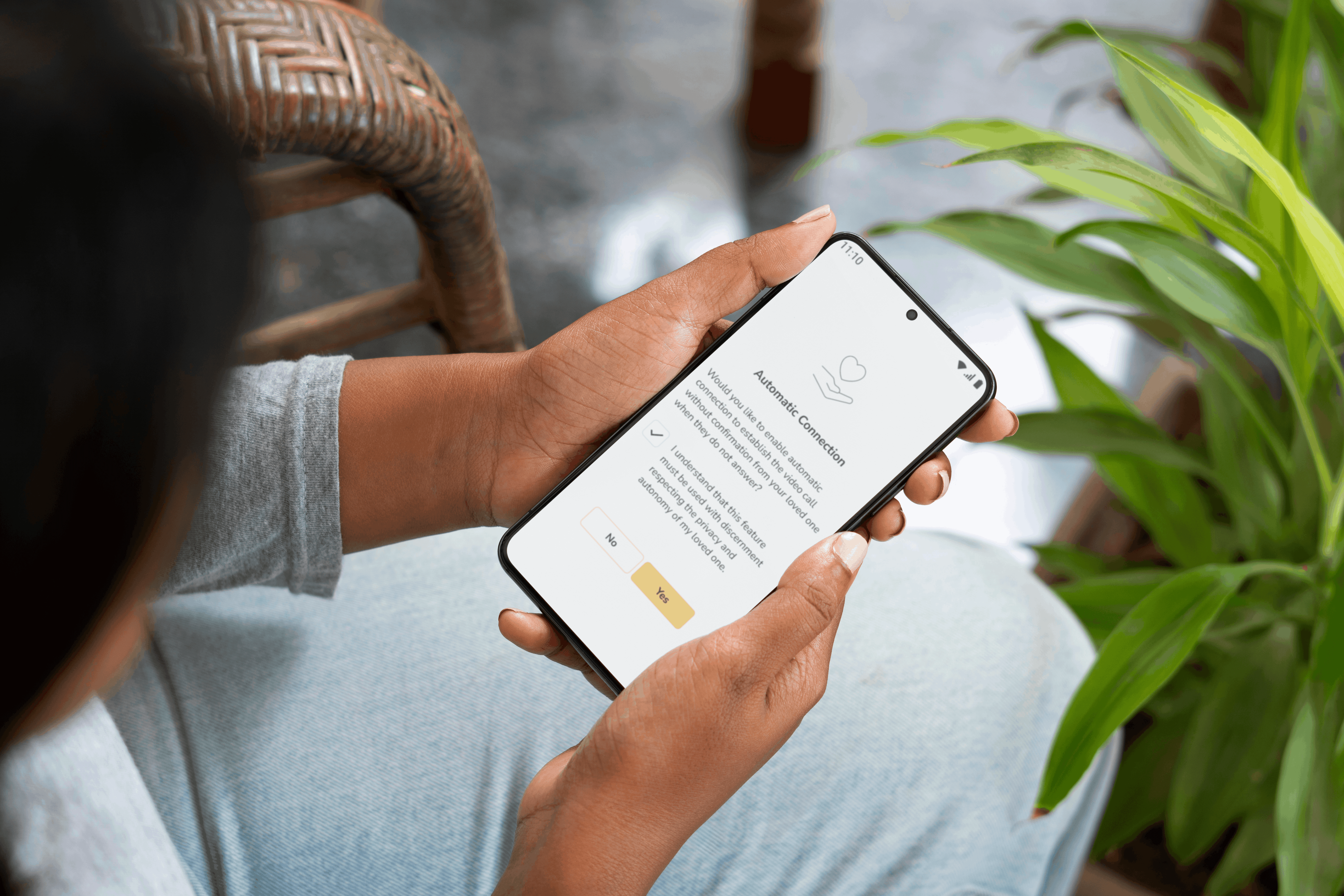
When you start a video call from the Idem Companion App, you can choose whether you'd like the call to automatically connect.
Auto Connect must be enabled manually for each individual call. There is no default setting that applies this automatically. Each call should be intentional, reflecting the caregiver’s judgement in the moment.

If you enable Auto Connect for a call:
-
The call appears on the Idem Smart Clock as it normally would, giving your loved one time to answer by tapping the screen.
-
If there's no response after 20 seconds, the clock displays a clear message letting them know the call will automatically connect in 10 seconds
-
Your loved one can still accept or decline at any point during that delay.
-
If no action is taken, the call connects on both sides.
- The call is then logged in the communication history as "automatically answered," so you always know what happened.

Note that Auto Connect can be turned off completely at any time from the Idem Companion App.
A few situations where Auto Connect can help
While Auto Connect won't be necessary for every call, there are moments where it can make a real difference.
A mother loves her daily video calls with her daughter, but her reduced mobility has made it more difficult to reach the clock in time. With Auto Connect, she can move safely and at her own pace, knowing that the call will connect automatically. She’s then able to enjoy those precious moments with her daughter, without the pressure of rushing.
A son notices that his father hasn't confirmed his morning medication through the Idem Companion App. He calls to check in, but the call goes unanswered. He enables Auto Connect and sees that his father has fallen. He's able to call for assistance right away, while staying on the line to reassure him until help arrives.
A father living with Parkinson's sometimes struggles to tap the right button when his clock rings. His tremors make it hard to respond before the call drops. With Auto Connect, the call connects on its own, so he can simply be present in the conversation, without the frustration of missing it.
A feature designed with care and used with intention
To respect your loved one's autonomy, we've built an ethical confirmation step directly into the process. When enabling Auto Connect for any call, you'll have to confirm that you understand how it works and are using it thoughtfully.
Before using Auto Connect for the first time, we encourage you to talk about it with your loved one. Here are a few ways you might bring it up:
"Sometimes when I call, and you don't pick up right away, I get a little worried. There's something new we could try. If you don't answer in time, the clock can automatically connect the call on its own after a short delay, so you don't have to rush. And if you'd rather not have us connect automatically, you can always press Decline."
or,
"I just wanted to let you know that you might receive a message on the clock notifying you that the call will automatically connect in a few seconds. It's just so we can still talk even if you're not right beside the clock when it rings."
The goal is to make sure that your loved one understands what they'll see on the clock's screen and feels comfortable with it. For someone living with cognitive challenges, clarity and familiarity are what matter most.
Staying connected, from a distance
Caring for a loved one from a distance means learning to live with some uncertainty. You can't always be there. You can't always know, right away, that everything is fine. But you can look for ways to stay present, even from afar.
Auto Connect gives you one more way to stay connected, with the care and intention your loved one deserves.
|
Learn more about the Idem Smart Clock and other Premium features |
Share:
Getting Outside Again: The Benefits of Spring Walks for People Living with Dementia
Why Falls Happen As We Age And What Actually Helps
1 comment
Hi. Just wanted to tell you that I’m so glad you now offer this automatic connect feature. My son is never able to answer the call, but for months now he is left on his own for extended periods of time. It is great that now I can check up on him