

When we design features at Idem, we always come back to one question: How will this work in real life, for the person using it every day?
Often, that person is an older adult who may not be familiar with touchscreens, or who doesn't interact with devices the way someone with a smartphone might. Their needs guide every decision we make.
This is exactly why messages on the Idem Smart Clock automatically close after 15 minutes—and why we're now adding a way to access them later.
Why messages close automatically
From the start, our goal was to make sure the clock could always do its most important job: show the time and date clearly.
We knew that some people might not think to tap the screen to dismiss a message. Without an automatic timeout, a message could stay on the screen indefinitely, covering the time and date unless someone stepped in to close it.
For someone who depends on the clock to stay oriented throughout the day, that could create confusion instead of clarity.
So the 15-minute limit was intentional. It was designed to protect usability and support independence for people who may not interact naturally with a touchscreen.
What families told us
Over time, we heard something different, and equally important, from the families and care teams using the Idem clock.
For some people, 15 minutes just isn't enough. If the person is out of the house, resting, or away from the clock during that window, the message disappears before they ever see it. In those moments, important information and photos can be missed entirely.
This feedback helped us see the tension more clearly: we wanted to keep the interface simple and uncluttered, but we also needed to make sure messages could actually be received.
Introducing access to unread messages
To support both of these needs, we're introducing a new feature: access to unread messages.
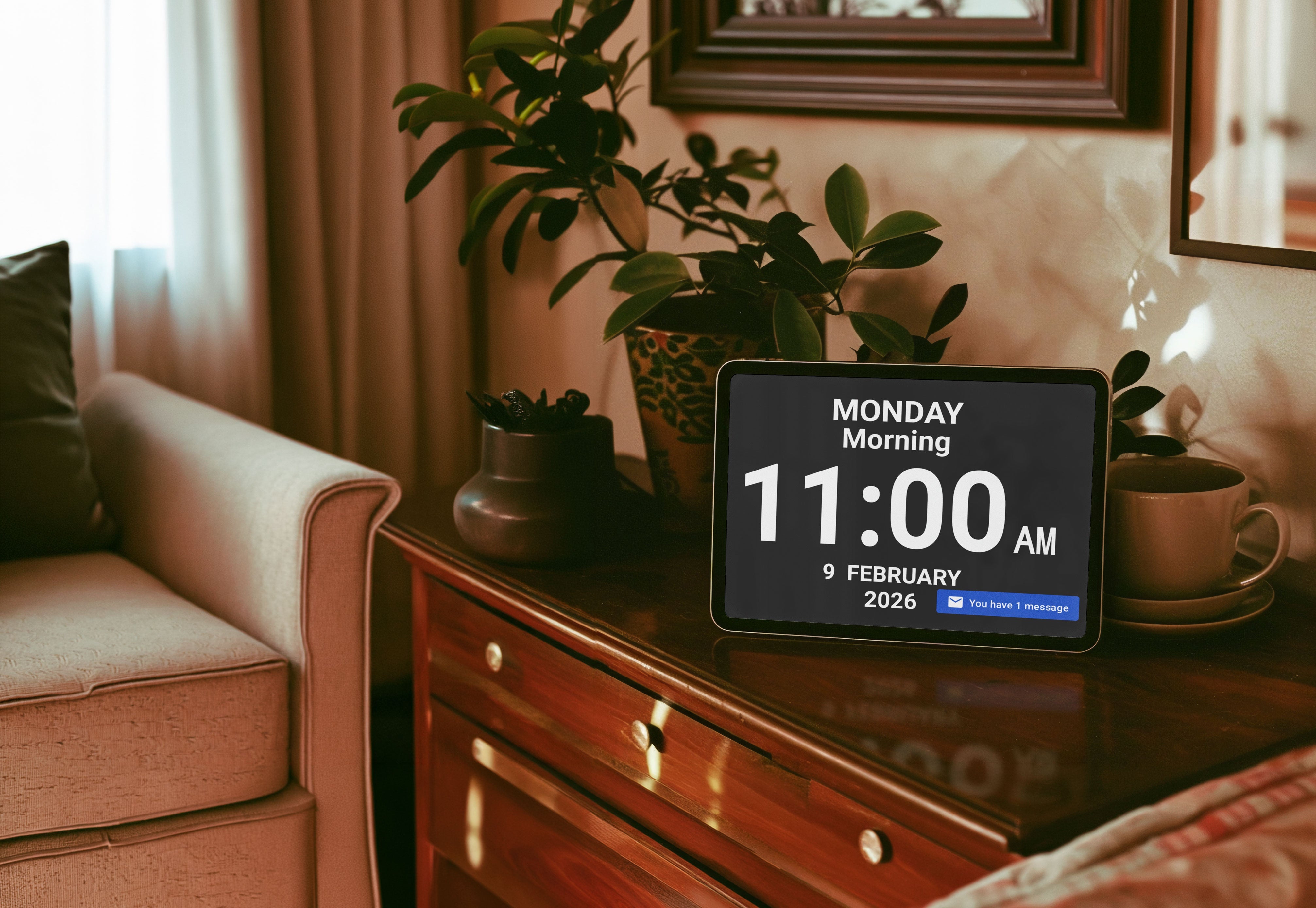
Now, if a message isn't viewed during the initial 15-minute display, it won't be lost. Instead, it will be saved in an inbox that can be opened anytime in the 12 hours following the reception of the message.
The clock face will stay clear and easy to read, just as before. But the person can now tap the message box in the right corner of the screen to see an envelope icon and access any messages they may have missed.
A balance between simplicity and real life
This change reflects how we think about evolving Idem: not by abandoning what we set out to do, but by refining it based on how families actually use our products.
We remain committed to designing with cognitive load, habits, and autonomy in mind, while also responding to the real, varied ways people and caregivers rely on Idem every day.
As always, your feedback helps shape these decisions. Thank you for sharing your experience with us.
Not yet subscribed to Premium?
You can learn more about all the Premium features and how to subscribe right here.
Share:
How to Support a Caregiver (From Caregivers Themselves)
Getting Outside Again: The Benefits of Spring Walks for People Living with Dementia
1 comment
Pour notre mère, nous aimerions avoir la possibilité de lui envoyer des messages vidéos enregistrés pour faire une présence simulée. Est-ce que cette fonction pourrait être intégrée? Merci beaucoup